
Centre Availability
In Scheduler, you can query the availability of a test centre/room before you book seat(s).
This article explains what calls can be made to the Scheduler API using the centre availability resource.
Import this API into your Postman Workspace
NOTE: This article documents the requests in the Centre Availability folder of the 'Scheduling System' Postman collection.
In This Article
Integration Flow
The following diagram shows the Centre Availability integration flow:
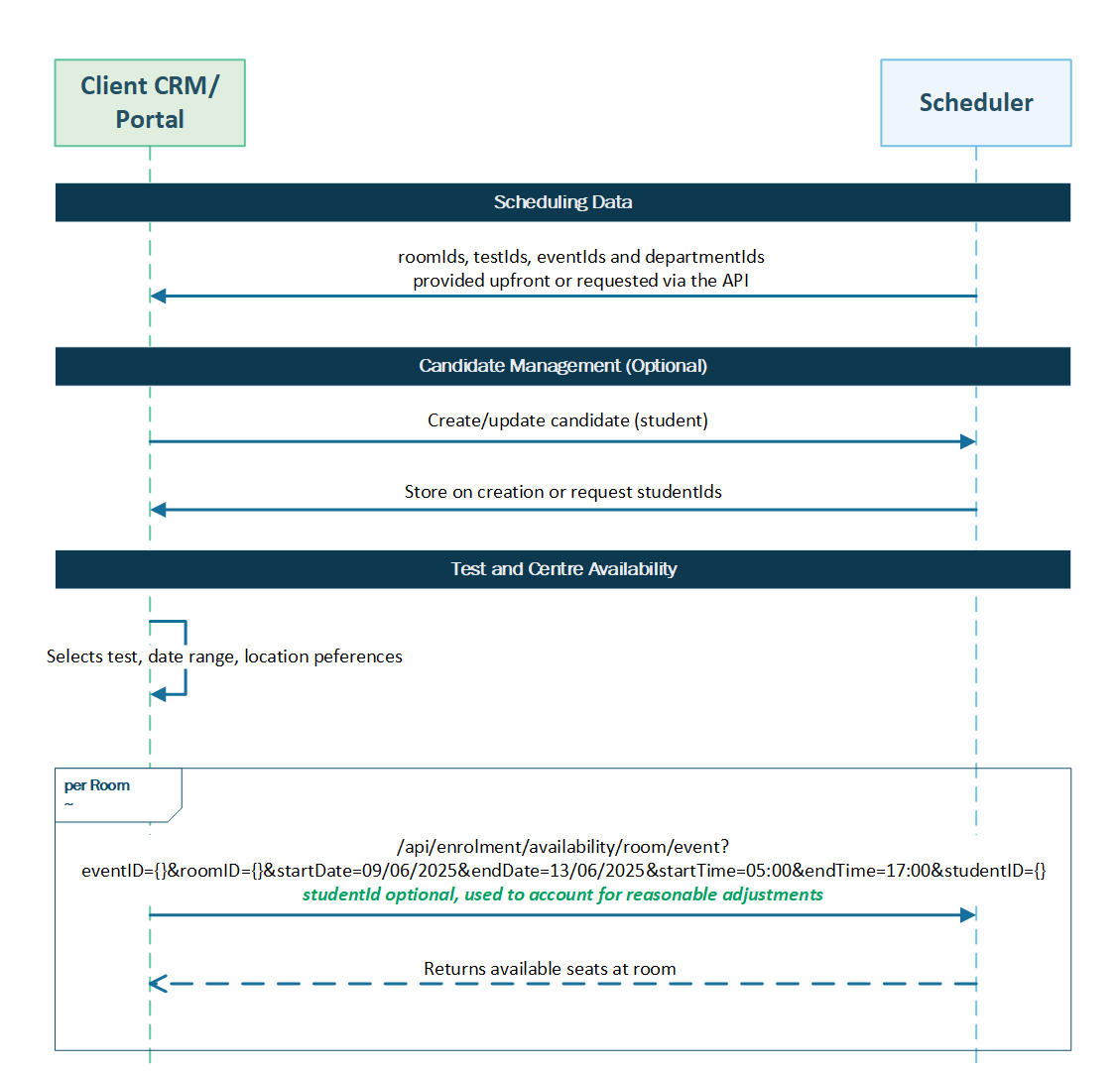
Listing test centre/room availability
get
/api/Enrolment/Availability/Room/Event
Send a request to the endpoint to retrieve a list of matching availability objects (available exam slots at the test centre/room). Refer to the available parameters to influence the response.
NOTE: You can use query parameters or pass a request body to retrieve a list of matching availability objects using this endpoint.
Further reading
Read the following articles to learn more about the scheduling system or more about related APIs: